Best Training App for Runners and Triathletes: What to Look For
Quick answer: Choose by your sport, goals and equipment rather than a universal ranking. Check custom heart rate zones, exact watch and sensor compatibility, workout planning, activity history, data export and privacy controls. Confirm current free and paid features on the provider’s own pages, then test the full workflow with your equipment. App recovery scores and sensor readings are estimates, not medical assessments.

Choose a training app by your goal, available equipment and the decisions you want it to support. A beginner may need a simple run log, while a triathlete may need structured workouts and a combined history across three sports. Check zone settings, device compatibility, privacy and data export before committing. An app displays and processes sensor data; it does not make an inaccurate sensor accurate.
No single app wins for everyone, so this guide shows you how to choose. We cover the main types of apps, what each does well, how to test heart rate accuracy, and a checklist you can run through in ten minutes.
TL;DR
- Decide what you need first: tracking, a structured plan, guided workouts or coaching. Most apps are strongest at one of these.
- Runners and triathletes should look for multisport support, interval and zone-based workouts, and a way to import data from a watch or chest strap.
- Wrist heart rate is useful but not perfect. A triathlon study of ten smartwatches found mean absolute percentage errors for average heart rate of 3.1% to 8.3% against a chest-strap reference.
- Check whether the app uses maximum heart rate, heart rate reserve or threshold-based zones. Resting heart rate alone does not define your zones. Enter matching inputs or custom boundaries where supported.
- Use free trials and free tiers to test an app for a few weeks before paying for a year.
Table of Contents
- What “best” means for runners and triathletes
- The main types of training apps
- How to judge whether the heart rate data is reliable
- A checklist before you choose
- Matching an app to your level
- Where heart rate zones fit in
- Set your zones before you open the app
- A four-week trial plan
- FAQ
- Sources
What “best” means for runners and triathletes
Search results for this keyword are full of general fitness roundups. They mix home workout libraries, lifting loggers, calorie counters and personal trainer marketplaces. That is useful if you want a yoga class on your phone, but it does not tell an endurance athlete much.
Runners and triathletes have narrower needs. You are usually training for a distance, a pace or a race date. You do several sessions a week at different intensities. You also care about how hard you are working, not only how long.
So a useful definition of “best” has four parts:
- Fit with your sport. Running only, or swim, bike and run in one place.
- Fit with your level. A first 5K needs different support than a half marathon PR attempt.
- Data you can rely on. Pace, distance and heart rate that match reality closely enough to guide decisions.
- Sustainability. A cost, a routine and a design you will still tolerate in month four.
Usability matters because the app must fit your routine. During a trial, check whether recording, rescheduling and reviewing sessions are straightforward enough that you will keep using it.
The main types of training apps
Most apps fall into a handful of categories. Knowing the type helps you shortlist faster than reading a ranked list.
| Type | Best for | What it usually offers | Watch for |
|---|---|---|---|
| Run trackers | Runners who want logs, pace and splits | GPS tracking, mile splits, audio-guided runs, challenges, heart rate display | Plans may be basic; zones may be generic |
| Structured plan apps | Race-focused runners and triathletes | Weekly schedules, interval sessions, adaptive adjustments | Plan quality varies; check the sport coverage |
| Multisport platforms | Triathletes | Swim, bike and run logging, load tracking, device sync | Learning curve; data accuracy depends on your device |
| Guided workout libraries | Cross-training, strength, mobility | Live and on-demand classes, often cardio-equipment based | Not built around race goals |
| Personalized coaching apps | People who want programming that adapts | Goal-based plans, coaching, nutrition, recovery and progress tracking | Often a subscription; coaching depth differs |
| Heart rate zone tools | Anyone training by intensity | Zone ranges from age, resting heart rate and formulas | Needs a tracker or watch to apply in real time |
Run trackers
Nike Run Club lists pace, location, distance, elevation, heart rate, mile splits, challenges and live run-location sharing, as one major run app describes on its own page. This makes it an example to investigate for run logging, not evidence that every tracker offers the same features. Confirm your particular device, sensor connection, zone controls and export needs separately.
Structured plan apps
If you are training for a specific race, look for an app that builds a calendar backward from the event date. Good ones mix easy runs, long runs and quality sessions, and let you move workouts around when life interferes. Check that the plan names intensity in a way you can apply, such as pace ranges or heart rate zones.
Multisport platforms
Triathletes juggle three disciplines, so a platform that stores all three matters. Look for swim, bike and run file support, and a way to see total weekly load. Make sure it accepts files from your specific watch. Our guides on Garmin heart rate zones, Apple Watch heart rate zones and Fitbit heart rate zones explain how each ecosystem sets and edits zones.

Guided workout libraries
Peloton is an example of a guided workout library, according to the provider’s own plan page. Classes can be followed using non-Peloton equipment, but that is not the same as electronically connecting the equipment or importing all its metrics. Check current membership options, device requirements and trial terms for your region. Use classes as planned training or cross-training, not automatically as extra work on a rest day.
Personalized coaching apps
Centr describes personalized workouts, expert coaching, nutrition guidance, recovery tools and progress tracking based on goals, preferences and experience level, as one example describes. These are provider descriptions, not an independent assessment of coaching quality. Confirm current race-planning, device, zone-setting and data-export capabilities. Do not assume “coaching” means individual access to a human coach.
How to judge whether the heart rate data is reliable
Heart rate is the signal many training plans lean on, so it deserves a closer look than the interface or the price. An app can only be as good as the sensor feeding it.
Wrist sensors are helpful, with limits
The triathlon study mentioned above tested ten smartwatches against a chest-strap reference. Mean absolute percentage errors for average heart rate ranged from 3.1% to 8.3%, and swimming distance mean absolute percentage errors ranged from 0.0% to 91.7%, according to the published validation study. In plain terms, some watches tracked heart rate fairly closely, others less so, and swim distance was the weakest measure.
The authors suggest that once accuracy has been confirmed, wearables can help manage training. They also advise scrutinizing non-time measurements and comparing wrist heart rate with an ECG or chest strap when precision matters. That is a sensible rule for anyone setting zone-based workouts.

The results come from one study of specific watches tested in 2023, so they do not describe every device or every model since. Treat them as a reason to check your own gear, not as a ranking.
Fit and movement matter
University of Iowa Health Care notes that wrist trackers can be distorted by arm and wrist movement and recommends a secure fit during exercise, following the device’s instructions without overtightening. If you have a heart condition or a clinician has set exercise limits, the same page advises discussing your personal heart rate ranges with them.
A simple home check
You do not need a lab to spot problems. Try this:
- Compare your watch and chest strap on a familiar easy session. Include a familiar harder workout only if it already belongs in your training; do not perform a maximal test to evaluate software.
- Compare the two traces afterward. Look at the first few minutes, where wrist sensors often lag, and at sudden spikes.
- If the lines stay close, the wrist reading is probably fine for easy and steady efforts.
- If they drift apart during intervals, use the strap for those sessions.
This is informal, not a validation. Researchers recommend comparing against a criterion measure and looking at agreement, not just whether two readings move together. The INTERLIVE expert statement makes the point that a high correlation alone does not prove readings are accurate. Two devices can rise and fall together while one reads consistently ten beats off.
A checklist before you choose
Run through these questions before you pay. They take about ten minutes and prevent most regrets.
Match features to a real training need
| Priority | What to verify | Practical test |
|---|---|---|
| Beginner consistency | Simple logging and manageable notifications | Record an easy walk-run and find it again |
| Race preparation | Suitable plan, intervals, rescheduling and recovery days | Move a workout and inspect the resulting week |
| Triathlon | Swim, bike, run, brick handling and combined history | Import one activity per sport and inspect fields |
| Equipment | Exact watch, phone, bike computer and sensor; pairing versus later sync | Record using your intended setup, without a phone if needed |
| Zones | Method, custom boundaries, sport settings and alerts | Compare boundaries in watch, app and activity report |
| Workout delivery | Warm-up, work, recovery, repetitions and transfer | Send a sample workout and inspect every step |
| Load and recovery | Inputs, missing-data handling and illness adjustments | Check whether all sports and training context are included |
| HRV analysis | Measurement protocol, source device and baseline | Trace the reading’s source and check whether trends are comparable |
| Ownership | Usable exports, history access, deletion and disconnect behavior | Export and re-import before subscribing |
| Cost and usability | Paid essentials, renewal, accessibility, battery and offline use | Complete your workflow before an annual commitment |
These are selection criteria, not capabilities established for every named app. Treat essential compatibility, export and privacy requirements as pass-or-fail checks. Recovery scores support decisions; they are not medical clearance or diagnoses.
Does it support your sport and your goal?
A running-only app is fine for a runner. A triathlete needs three disciplines, brick sessions and a view of total load. If a library is mostly strength and yoga classes, it is a supplement, not a plan.
Does it connect to your device?
Check your exact watch, bike computer or chest strap on the app’s compatibility list. Also see whether the sync is two-way: can workouts you plan in the app appear on your watch, and do completed sessions flow back?
Can you set your own heart rate zones?
This is the feature that separates a useful endurance app from a general one. Default zones are often based on an age formula, which can be a rough guide. Look for a way to enter your own max heart rate, resting heart rate or threshold values. Our heart rate zones for running guide shows how running zones are typically structured, and the interval training heart rate guide covers work and recovery targets.
What does the free version include?
Free tiers vary a lot. Some include tracking and a limited set of workouts, others only a short trial. Before upgrading, use the free version for two to four weeks and see whether you open it without being nudged. Prices and plan limits change, so confirm them on the provider’s own page when you decide.
Is the guidance cautious about claims?
Be wary of apps that promise a specific finishing time, fat loss figure or heart health outcome. Training response varies from person to person. A good app explains the logic of the plan and lets you adjust it.
Can you export your data?
Export one completed activity before committing. Check for timestamps, heart rate, GPS, laps and the sport-specific fields you need, then try importing it into another service. FIT, TCX, GPX and CSV exports may preserve different fields depending on implementation. An account-data download, screenshot and interoperable workout file are not equivalent; neither is a one-way platform connection.
What happens to location and health-related data?
- Inspect default visibility for profile, activities, maps and live location. Hide sensitive start and finish locations where controls allow it, and inspect the public view.
- Review location, background, contacts, health-data and connected-service permissions. Grant only what your workflow requires.
- Read current policies for data sharing, advertising, analytics, retention and account deletion. Rights and availability can vary by region.
- Check whether disconnecting a service stops future transfers and whether already transferred data needs separate deletion.
- Do not assume private activities mean no provider processing, or that deleting the app deletes your account and history.
Marketing pages alone do not establish a complete privacy or export policy. Resolve essential questions before uploading sensitive routes or committing.
Matching an app to your level
Beginner runner
Start with a free run tracker and a simple walk-run plan. Your priorities are consistency and keeping easy runs genuinely easy. If you are unsure what easy means, use a zone calculator to find a conversational range, then watch heart rate or use the talk test as a cross-check.
Improving runner
Add a structured plan with a weekly rhythm: one long run, one quality session, the rest easy. Look for an app that lets you see time in each zone across the week. If most of your runs land in the same moderate band, that is the rut a plan is supposed to break.
Triathlete
Choose a multisport platform that accepts your watch files, then add a heart rate strap for run and bike sessions. Remember swim data is the weakest link in many watches, per the study above, so treat swim distance figures with caution and compare them with pool length counts when you can.
Time-crunched athlete
A guided class library or an adaptive plan can help if your schedule shifts week to week. The key is that the app lets you reduce the plan without breaking it.
Where heart rate zones fit in
An app can tell you what to do. Zones tell you how hard to do it. Training by heart rate is a way to keep easy days easy and hard days purposeful, and it works with almost any app that lets you view live heart rate.
Many people start with an estimate of maximum heart rate and build five zones from it. Others use heart rate reserve, which uses both maximum and resting heart rate. Both are estimates. If you can, adjust them using how you feel and, where appropriate, a supervised test.
For Zone 2 specifically, see our guides on finding your Zone 2 range and Zone 2 walking. If you track recovery too, our comparison of HRV and heart rate explains how the two signals differ.
Set your zones before you open the app
Apps work better when you give them good inputs. Our free Heart Rate Zone Calculator uses gender-specific formulas and an optional resting heart rate input, so you can see your zone ranges in a few seconds. Treat calculator results as starting estimates, not a replacement for a clinician’s advice or an appropriately supervised physiological assessment.
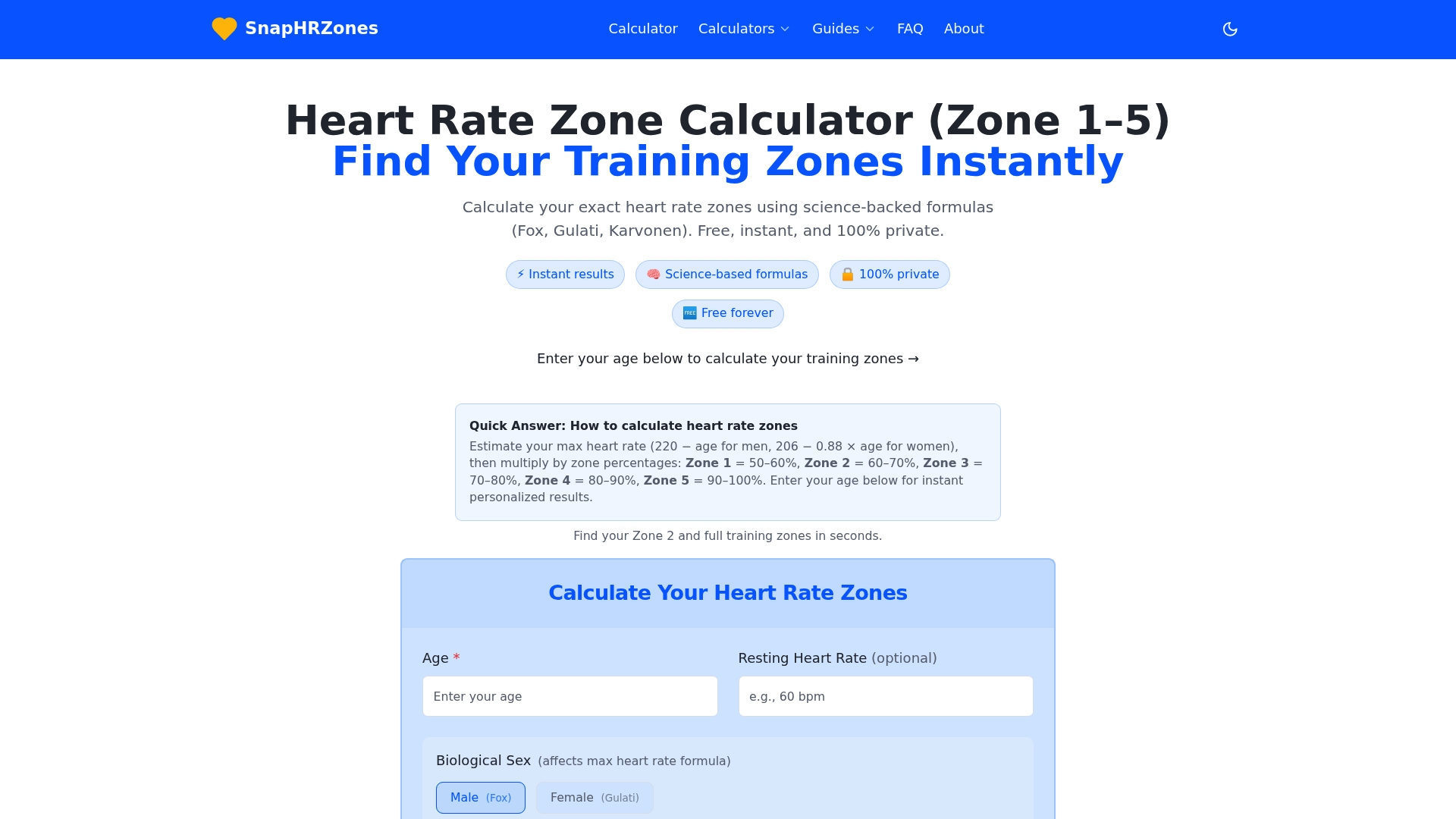
Enter the ranges into your app or watch, run for a couple of weeks, and adjust if they feel clearly off. If Zone 2 is your focus, try the Zone 2 heart rate calculator as well.
A four-week trial plan
If you are torn between two apps, test them in a structured way instead of switching on impulse.
- Week 1: Log every session in one app. Note setup friction, battery drain and whether the heart rate matches how you feel.
- Week 2: Check the zone method and enter matching boundaries where supported. Test an easy session and, only if already appropriate for your training, a familiar interval workout. Heart rate lags during short efforts; use prescribed pace, power or perceived effort too.
- Week 3: Follow the app’s plan, if it has one. Mark workouts that felt unrealistic.
- Week 4: Decide. Keep the app if you opened it voluntarily most days and trust its numbers. Otherwise try the next candidate.
Use this as an evaluation schedule, not a promise of a free four-week trial. Check renewal dates and cancellation terms first; do not add hard workouts just to test software.
FAQ
What is the best free training app for runners?
A free run tracker is usually the best starting point, since many include pace, distance, splits and basic guided runs. Pick one that works with your watch and lets you view heart rate. Check the provider’s page for what stays free, because plan limits change.
Are smartwatch heart rate readings accurate enough for zone training?
Often, for steady efforts, but not always. A study of ten smartwatches found average errors of 3.1% to 8.3% against a chest strap. If you do intervals or need precision, a chest strap is the safer reference.
Do I need a paid subscription to train for a race?
Not necessarily. Many runners follow a free plan and a tracker. A paid plan may help if you want adaptive scheduling, coaching or multisport load tracking, so test the free version first and decide after a few weeks.
Can I use heart rate zones in any training app?
Most apps that display live heart rate let you follow zones. The best ones also let you enter custom zones. If yours does not, you can still use the zone ranges from a calculator and check them on your watch during each session.
Should I see a doctor before training by heart rate?
If you have a heart condition, take medication that affects heart rate or have been told to limit exercise intensity, talk with your clinician about safe heart rate ranges first. Formula-based zones are estimates and do not account for individual medical factors.
Sources
- Validity of Current Smartwatches for Triathlon Training (PMC)
- Recommendations for determining the validity of consumer wearable heart rate sensors (PMC)
- Are wearable health and fitness data trackers reliable? (University of Iowa Health Care)
- Run app features overview
- On-demand fitness app plans
- Coaching app overview
Recommended
Find your personal heart rate zones
Enter your age to get all five training zones in seconds.
Open the heart rate zone calculator